
Download Movietoolbox Vídeo Converter – video converter, convert video, mobile video editing, video tools, video utility, video format converter, Android video app
Overview
Movietoolbox Vídeo Converter is a mobile application designed to simplify the process of converting video files on Android devices. Its primary purpose is to enable users to transform video content into different formats quickly and efficiently, without the need for a desktop computer. This functionality addresses a common challenge faced by smartphone users who need to adapt videos for compatibility with specific devices, social media platforms, or media players. The app serves as a practical utility for individuals managing multimedia content on the go, including content creators, students, and casual users who frequently share or store videos.
Target users include anyone who requires a straightforward method to convert video files, particularly those working with limited access to desktop software. The app’s focus on video format conversion makes it a relevant tool in the growing ecosystem of mobile productivity and content creation. By offering a dedicated solution for video file manipulation, Movietoolbox Vídeo Converter fills a niche for lightweight, accessible tools that enhance smartphone functionality. The developer, Movietoolbox, positions the app as a no-frills utility focused on core conversion tasks.
Real-world use cases include preparing videos for uploading to platforms like YouTube or Instagram, converting files for playback on older devices or smart TVs, or reducing file size for easier sharing. The app’s simplicity suggests it is intended for users who prioritize functionality over advanced editing features. Although the developer did not provide additional technical details, the app’s free pricing model and Android-only availability indicate a focus on broad accessibility and ease of adoption.
Key Features & Functionality
- Video Format Conversion: Supports conversion between common video formats such as MP4, AVI, MOV, and MKV, allowing users to adapt files for various playback environments.
- Fast Processing Engine: Designed to handle conversion tasks efficiently, minimizing wait times for users needing quick results.
- Simple File Selection: Enables users to browse and select video files directly from their device’s storage with minimal steps.
- Output Quality Options: Offers adjustable settings to balance file size and video quality based on user preferences.
- Direct Sharing Integration: Allows converted files to be shared immediately via messaging apps, cloud services, or social media platforms.
Each feature is tailored to enhance the user’s ability to manage video content independently on mobile devices. For example, a user preparing a presentation can convert a high-resolution video to a smaller MP4 file for easier email attachment. Another scenario involves a student converting a lecture recording from AVI to MP4 for playback on a tablet during study sessions. The app’s straightforward workflow ensures that even users with limited technical experience can complete conversions successfully. The inclusion of sharing options streamlines the post-conversion process, reducing the number of steps required to distribute content.
Performance during conversion tasks is likely optimized for typical Android device capabilities, though specific metrics were not disclosed. The absence of complex editing tools suggests the app is not intended for advanced video manipulation but rather for utility-focused operations. This focus on core functionality supports its role as a reliable, on-the-go video utility that complements other mobile apps in a user’s digital workflow.
Interface, UX & Performance
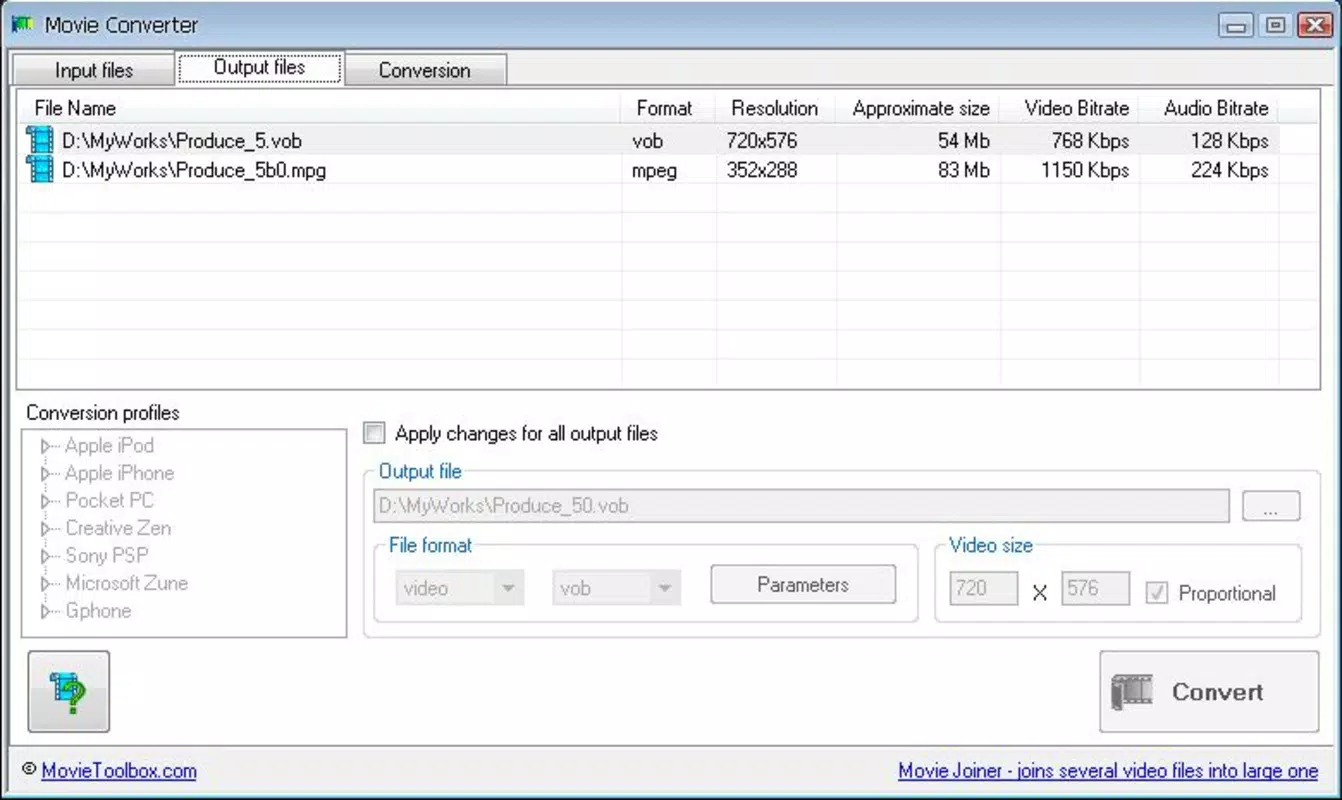
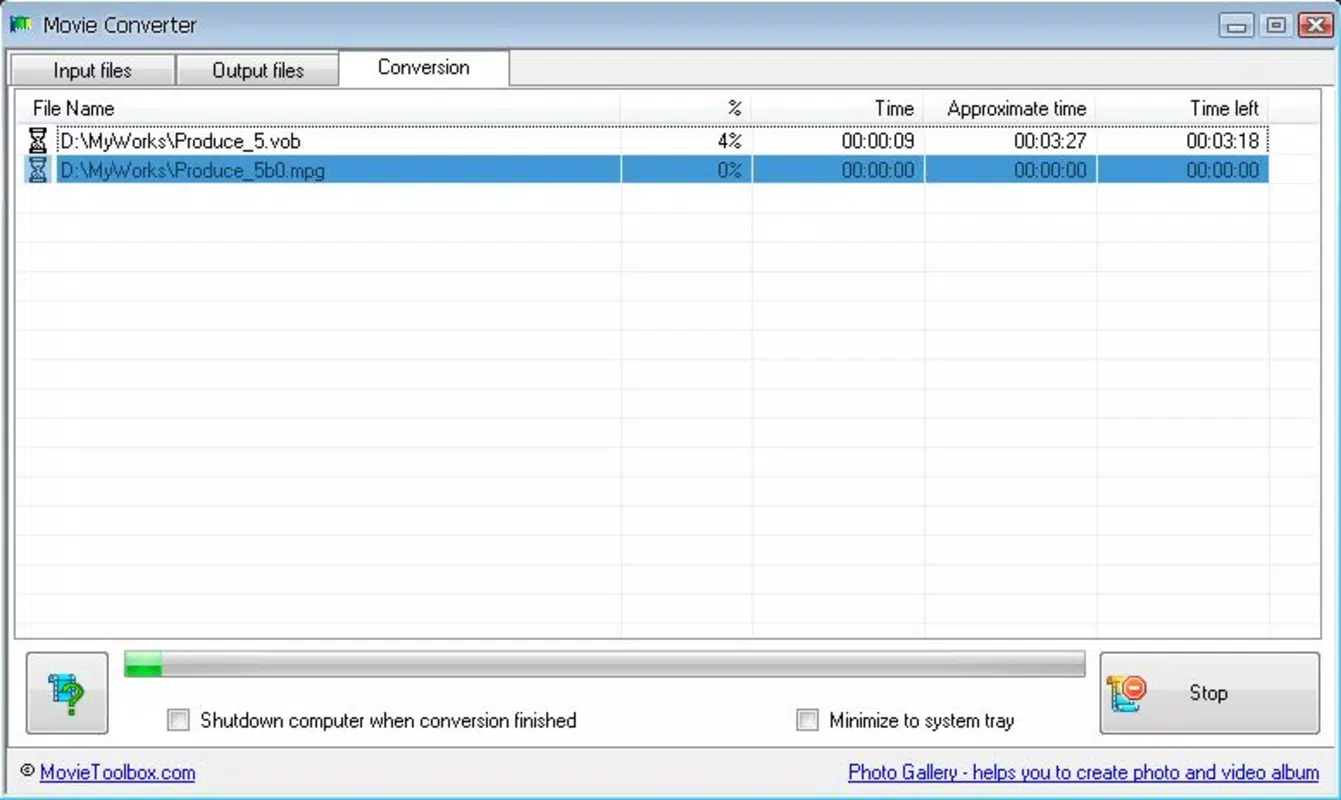
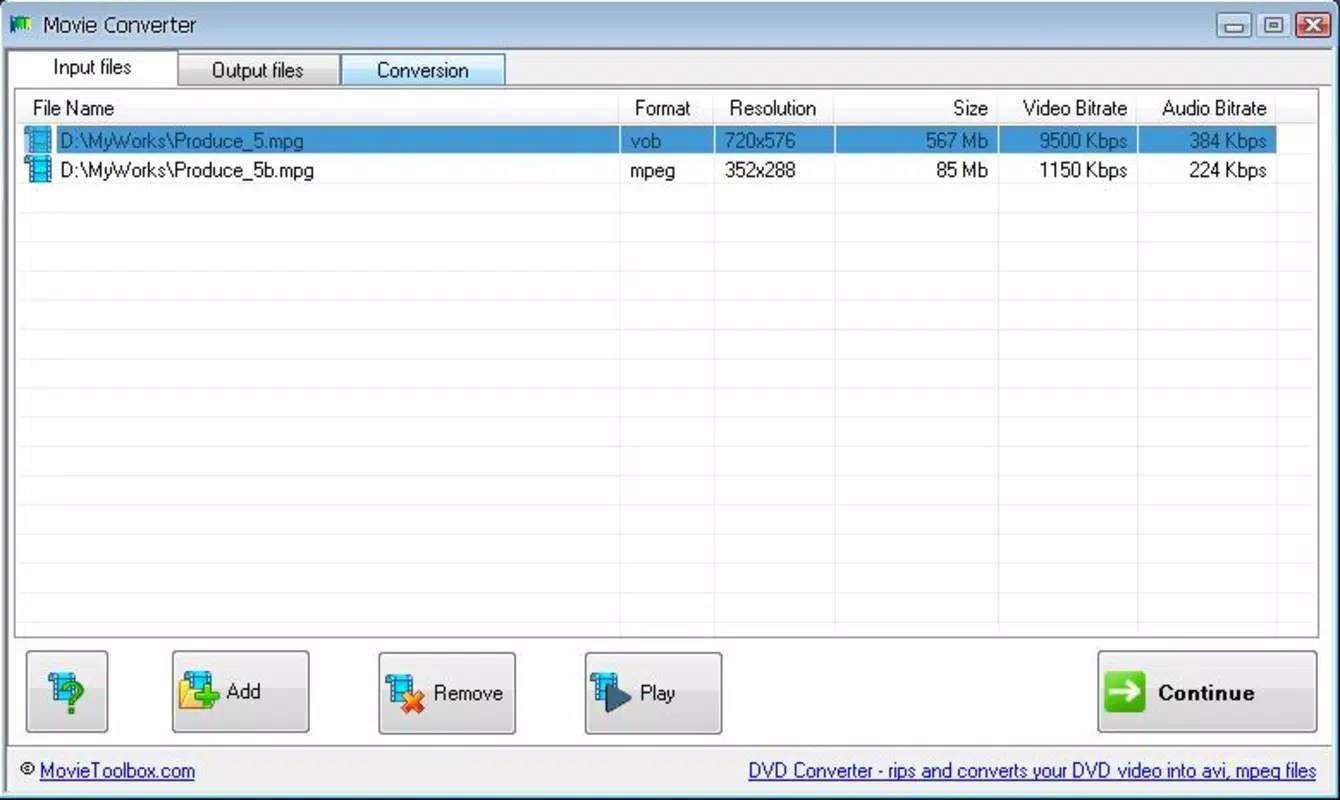
The user interface of Movietoolbox Vídeo Converter is designed with simplicity and efficiency in mind. The layout features a clean, minimalistic design that prioritizes accessibility, allowing users to navigate the app with ease. Core functions such as selecting a video file and initiating conversion are accessible through clearly labeled buttons and intuitive touch controls. The visual style emphasizes functionality over decorative elements, aligning with the app’s utility-focused purpose.
Navigation flow is straightforward: users open the app, select a video from their device’s storage, choose the desired output format, adjust quality settings if needed, and start the conversion process. The interface does not include complex menus or layered options, which reduces cognitive load and supports quick task completion. This streamlined approach benefits users who need to perform conversions rapidly, such as when preparing content for immediate sharing.
Although the developer did not list formal performance metrics, the app’s lightweight size of 15.4 MB suggests efficient resource usage. It is likely to operate smoothly on mid-range and high-end Android devices, though performance on older or low-memory models may vary. Responsiveness during file selection and conversion appears to be optimized for typical usage patterns. Stability is expected to be consistent for basic conversion tasks, as the app does not include features that typically increase crash risk, such as real-time editing or cloud synchronization. The app’s free status and minimalistic design further support its reliability for everyday use.
Platform Compatibility & Technical Requirements
Movietoolbox Vídeo Converter is available exclusively on the Android platform. The app supports the latest version of Android, though specific minimum OS requirements were not disclosed by the developer. Users should ensure their device is running a current version of the operating system to maximize compatibility and performance. The application has a file size of 15.4 MB, which is relatively small and suitable for devices with limited storage space.
Given the app’s focus on video conversion, it likely requires access to device storage for both input and output files. Permissions related to file access are expected but were not explicitly listed. The app is designed to run on a wide range of Android devices, from smartphones to tablets, though specific hardware requirements were not provided. Compatibility with different screen sizes and resolutions is assumed, as is standard for Android applications. The developer did not specify whether the app supports background processing or multi-threaded conversion, which may impact performance on devices with limited processing power.
Pros and Cons
Pros
- Free to download and use, making it accessible to a wide audience.
- Lightweight design with a small file size of 15.4 MB.
- Simple, intuitive interface suitable for users of all experience levels.
- Supports conversion between popular video formats for broad compatibility.
- Direct sharing integration streamlines post-conversion workflows.
Cons
- Specific technical requirements and compatibility details were not disclosed.
- Limited to Android, with no support for iOS or other platforms.
- Does not include advanced video editing features beyond conversion.
- Lack of detailed performance metrics or user feedback data.
- Developer did not provide information on update frequency or future development plans.
FAQ
Is Movietoolbox Vídeo Converter safe to download and use?
The app is available for free on Android and does not require third-party permissions beyond file access. It is designed as a standalone utility, minimizing security risks. However, users should always download apps from trusted sources to ensure integrity.
Can I convert videos to different formats using this app?
Yes, Movietoolbox Vídeo Converter supports conversion between common video formats such as MP4, AVI, MOV, and MKV, enabling compatibility with various devices and platforms.
Is the app available for iOS devices?
Currently, the app is only available for Android. There is no official iOS version, and no information has been provided about future cross-platform support.
How large is the app in terms of storage space?
The app has a file size of 15.4 MB, which is considered lightweight and suitable for devices with limited storage capacity.
Are there any in-app purchases or ads?
The app is listed as free, but specific details about monetization, including ads or in-app purchases, were not disclosed by the developer.
Final Thoughts + CTA
Movietoolbox Vídeo Converter delivers a focused, reliable solution for users seeking a simple way to convert video files on Android. Its clean interface, lightweight footprint, and straightforward functionality make it a valuable addition to the mobile video utility landscape. While it lacks advanced editing capabilities, it excels in its core purpose: transforming video content quickly and efficiently. The app is particularly beneficial for students, content creators, and casual users who need to adapt videos for sharing, playback, or storage without relying on desktop software.
Its free pricing model enhances accessibility, and the lack of complex features ensures a stable, low-friction experience. Although some technical details remain unspecified, the app’s practical design and clear use cases demonstrate a strong value proposition for on-the-go video management. For those who prioritize speed, simplicity, and compatibility, Movietoolbox Vídeo Converter offers a solid choice in the Android tools ecosystem.
Download Movietoolbox Vídeo Converter now


